Client dashboards under your own logo

Your clients want to see their numbers. Jitters reads them every night and shows them on a page that carries your name.

Early access to the beta. One email when your place opens, and nothing else.

Built from ready-made charts

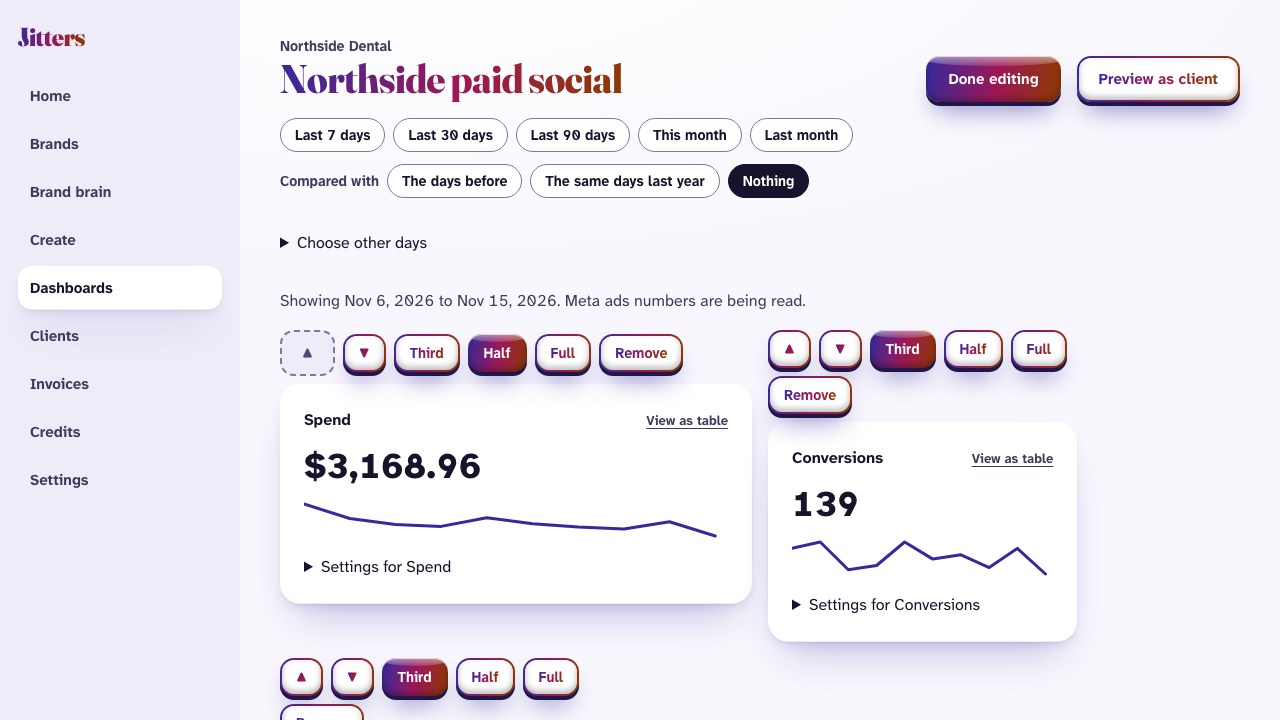
Start from a template or an empty page. Add spend, clicks, conversions, cost per result and more, arrange them, and choose the days they open with. Compare with the days before, or the same days last year.

  • Numbers are read from the ad account every night.
  • Each chart says how fresh its numbers are.
  • Every chart can also be read as a table.
A client dashboard in Jitters being arranged: spend and conversions for the last ten days

Shared the way your client likes

Give a client a private link, with a password and an end date if you want them. Or have Jitters email a PDF every week or month. It waits for your yes before it goes, unless you say otherwise.

  • A link can be switched off at any moment.
  • The page shows your logo, your colours and your name.
  • Nothing on it says Jitters.

Create 2 paused ads in the ad set “Testing”

Waiting for the owner's yes.

  • In Northside Dental: Meta ads.
  • The ad set's own budget and audience are not changed.
  • Shown as the page “Northside Dental”.
  • Every ad links to northsidedental.example/holidays, with tracking tags added.
  • Everything is created paused. Nothing is spent until someone starts it.

The rest of Jitters

  • Brand brain: Every client's fonts, colours, voice and offers in one place, read by every job.
  • Ad creation: On-brand ads in every shape, with their words, sent to the ad account paused.
  • Invoicing: Retainers and a share of ad spend, worked out and sent on the day you choose.

See it with your own client

Early access to the beta. One email when your place opens, and nothing else.